


Business card design needs 5 decisions: who is being introduced, which contact route matters, what the reader sees first, how the card is produced and what files are handed over. A readable card should help someone recognise and contact the right person without deciphering decorative type or an overcrowded layout.
Which business card layout suits the identity?
Begin with the card’s role in a conversation. A personal introduction may need the person’s name and role to dominate, while a shared reception card may lead with the organisation and a general contact route. Decide which situation the design serves. Avoid filling every available space merely because the business has several social accounts, addresses and service lines.
Compare a name-led layout with a brand-led layout. In a fictional consultant’s card, the name can provide the main visual anchor and the organisation can support it. In a fictional retail card, the trading identity and destination may be more important. These are design directions to evaluate alongside the fictional original studies below, rather than evidence of a client project. Choose the hierarchy before selecting a decorative template.
Consider a contact-led reverse side when there is a clear practical destination. A checked website or general contact route can be useful, but a QR code should not be the only way to recover essential information. Give the destination in readable text and test where the code leads. Do not assume the recipient can or wants to scan it during the introduction.
Keep the factual brief authoritative. Confirm the exact spelling of the person’s name, role, organisation and contact details with the owner of that information. A proof can look balanced while containing a wrong letter in an email address. Review contact accuracy separately from visual approval and test the destination rather than relying only on reading the printed characters.
Use the existing identity consistently. An approved logo may have spacing and colour requirements that need to survive the small format. Ask for the correct source asset before tracing a low-resolution screenshot. A compact approved variant may be preferable to squeezing a long lockup into an unsuitable area. Do not invent a monochrome version or recolour a brand mark merely because a template uses one.
What should be checked before the print handoff?
Choose production requirements with the actual printer. Adobe’s printer-mark guidance advises confirming the expected marks and setting up the relevant print areas first. A business card does not have a universal production specification that can be safely guessed from its category. Record the finished format, material and required file setup for this particular order before preparing the final artwork.
Inspect a proof at the intended physical size. Name, role and contact details should remain distinguishable without enlarging a screen preview. Check front-to-back orientation and the effect of the intended material or finish through the print provider’s proofing route. This article recommends those checks; it does not claim that an unseen design or a specific print treatment has passed them.
Make the editable handoff complete. Adobe’s Illustrator packaging guide describes gathering the document, linked graphics, permitted fonts and a package report. A single exported preview is not the same as editable source. Specify what the business will receive and what is required to make a legitimate future edit without depending on the original designer’s computer.
Respect font and asset permissions during handover. Adobe explicitly warns that font copying depends on the licence. Packaging a font technically does not create a right to redistribute it. Record which assets are supplied, which need an independent licence and where the approved master lives. Keep a usable final export alongside the source so ordinary business use does not require the design application.
Prepare a separate digital contact asset if needed. A print-ready card PDF may include production information inappropriate for an online image. Export deliberately for the intended digital surface and check the crop and legibility there. If the business needs a contact file or a website profile, define that as a separate deliverable rather than implying that a static card image automatically supplies those functions.
Include a handoff-opening test before closing the design work. Open the supplied editable package in the intended environment, inspect linked assets and check that the approved text remains available in the agreed form. If a font cannot legally be supplied, document the supported editing arrangement rather than quietly substituting another typeface. Then compare the final print export with the approved proof and its version reference. This helps prevent an earlier draft being printed after a late correction. The test is about the actual files provided, not whether a designer can reopen their own working folder with resources that the business never receives.
Three original visual studies
These original SVG studies use fictional names and sample copy. They are illustrative comparisons, not actual clients, events, approved identities or production-ready artwork. The supplied screen renders have been inspected; physical reproduction and responsive application still need their own checks.
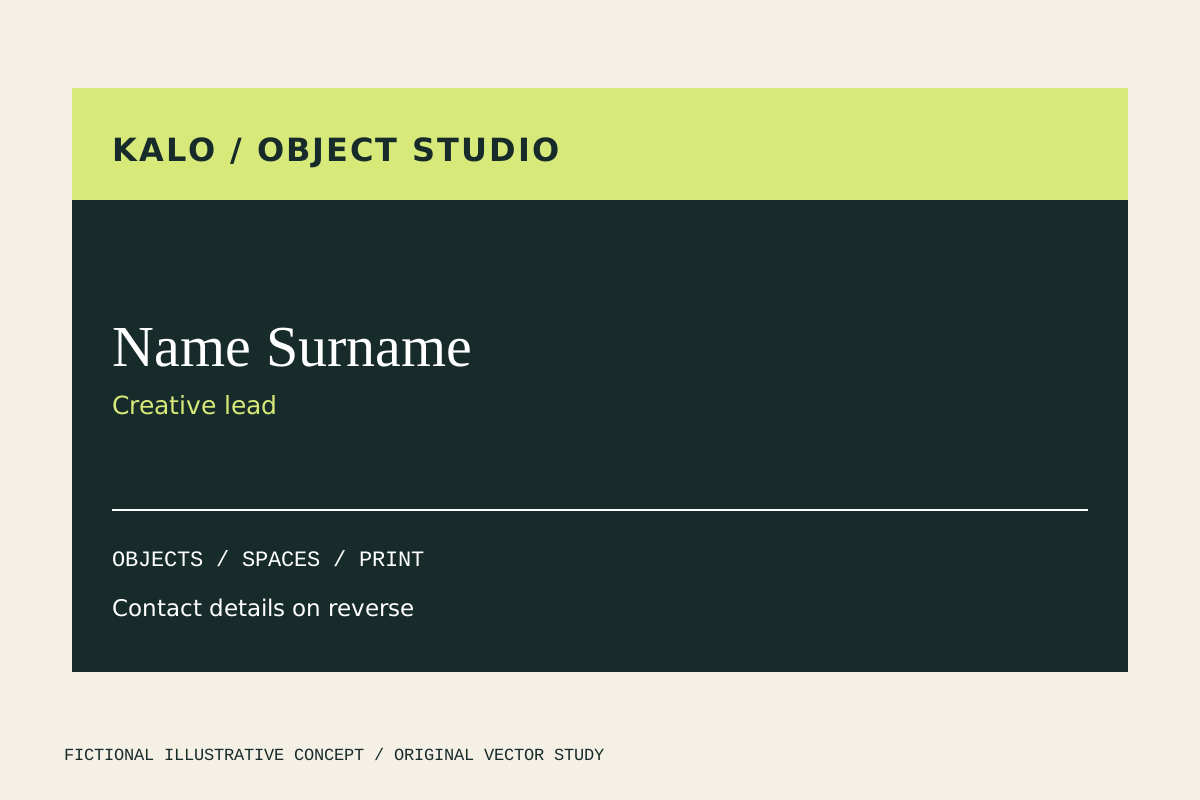
Horizontal band separates the fictional studio identity from the sample person’s name. The contact-on-reverse note describes an intended second face, not a supplied reverse design.
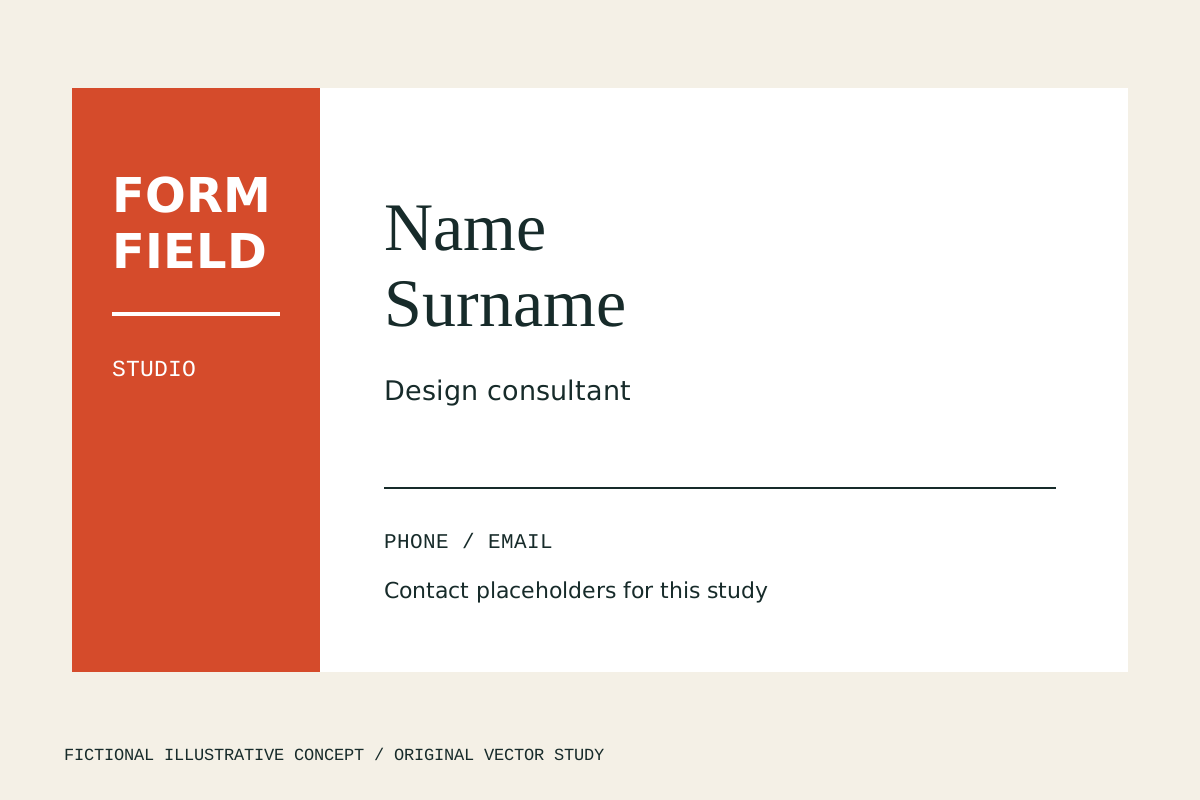
Vertical spine reserves the left column for FORM FIELD while the name and contact placeholders occupy the right. Long names need a considered line break rather than smaller text throughout.
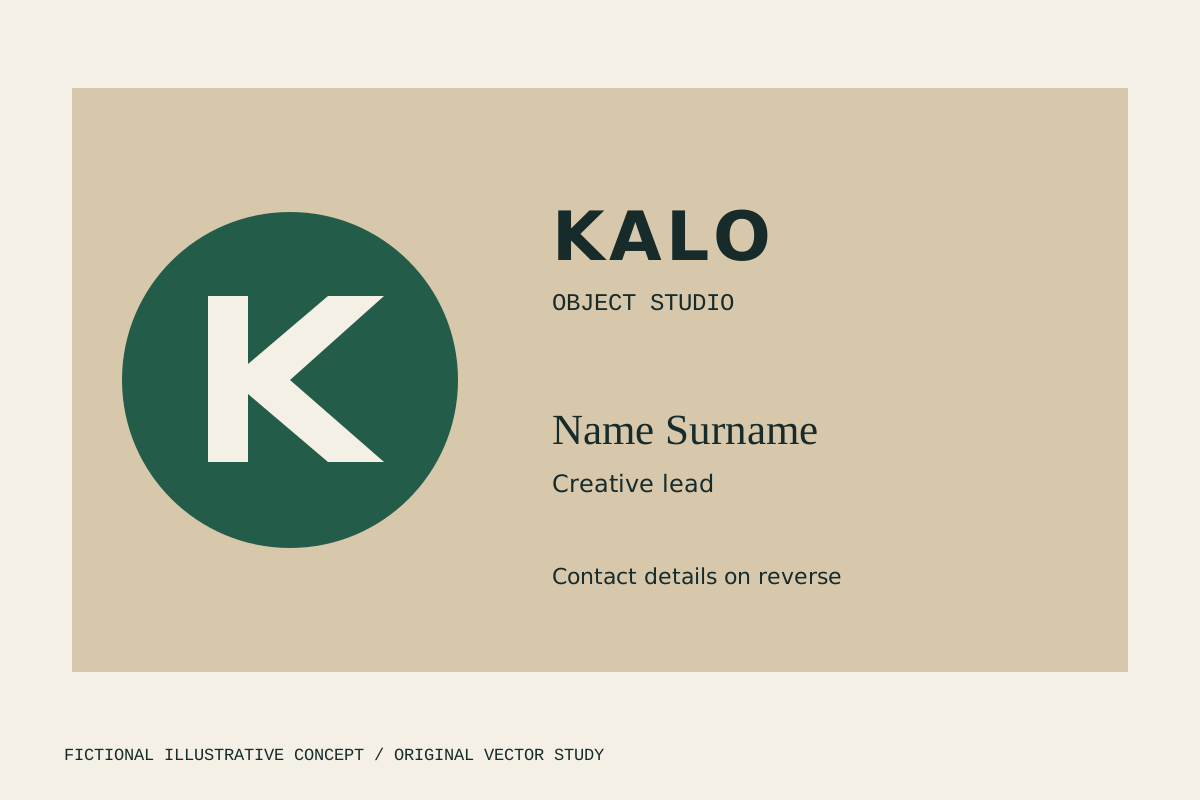
Monogram field puts an original geometric K ahead of the contact hierarchy. It is useful for discussing symbol prominence, but the counter, real contact information and physical card proof still need testing.
Decision worksheet
Original contribution: a contact-accuracy and reproduction card. Compare name-led, brand-led and contact-led directions against one fictional brief. State which element should be recognised first and what the recipient should do next. Then check every contact route by using it, not only proofreading its appearance. Add a production row for the physical proof and a handoff row for editable files, linked graphics and permitted fonts. Keep a separate status for factual approval, visual approval and print-provider acceptance so a clean layout cannot conceal a wrong destination.
| Checkpoint | Evidence to retain | Decision or corrective action |
|---|---|---|
| Identity | Approved name, role and organisation | Choose person-led or brand-led hierarchy |
| Contact | Tested destination and readable details | Remove unnecessary competing routes |
| Artwork | Approved logo and rights-cleared assets | Avoid distorted or unauthorised variants |
| Production | Printer specification and physical proof | Check size and front-to-back orientation |
| Handoff | Editable package and final exports | Retain licences and version references |
As a practical test, give the proof to someone unfamiliar with the fictional business and ask whom the card represents and how they would make contact. Record confusion about the person, organisation or preferred route, then revise the hierarchy. Next, inspect the same design as an actual-size proof. A layout can pass the first recognition test and still fail because the details become uncomfortable at the intended scale. These observations should guide the design; they do not justify inventing a universal minimum type size.
See logo and brand design for identity context and business email for contact preparation. To discuss a card, get started with approved details, existing assets and the intended printer requirements.
By Spout Team. AI-assisted drafting by Codex using the linked primary sources.